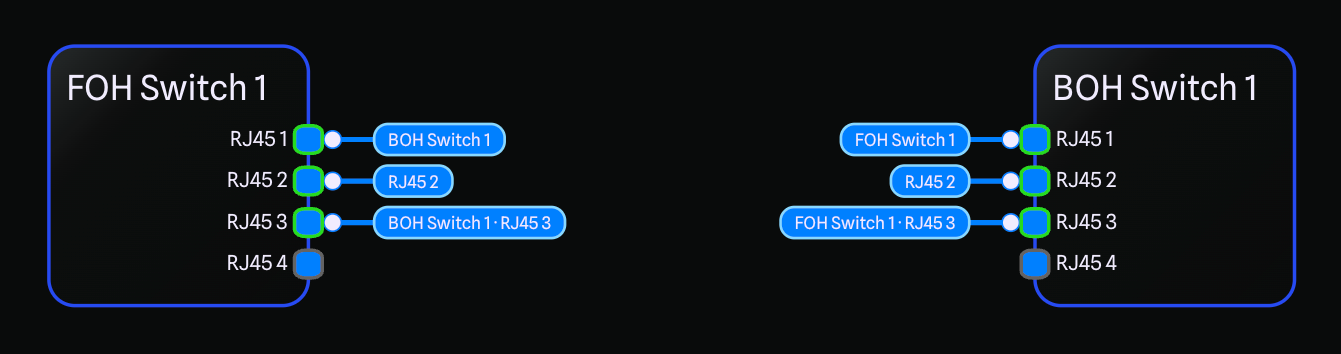
Thanks to everyone for your feedback, we've heard great things about Connection Tags from the Beta, and we're excited to now release them fully in the Main app!
As a recap, when two pieces of gear are far apart, the connection between them can now be shown as two short stubs, one at each end, with a label that tells you what each stub links to. The result is a drawing that stays readable no matter how big your system gets.
You stay in control of how tags behave. Connections can switch to tags automatically based on distance, always show as tags, or always show the full line, so you can tune the look of each drawing to suit the way you work. You also choose what the tag labels display, whether that is the gear name on its own, the gear and port together, or just the port.
Tags double as a fast way to move around a big drawing too. Click a tag label to jump straight to the other end of the connection, and hover a stub to highlight the matching stub at the far end. Tagged connections also eliminate the need for Smart Connection Routing, drastically speeding up performance on larger drawings as the app no longer needs to calculate the best path for each connection.
Connection Tags are a Pro feature, and we are running a special promotion until the end of the month to get your first month of Pro free to try them out!